
Paying in China on one page: WeChat Pay, Alipay and TenPayGo
Three apps cover practically every counter, stall and taxi in China. This page condenses the three full guides into one: choose an app, set it up before you fly, and learn the two ways to pay. Links to each full step-by-step guide are at the end of the page.
Choose your app
Chat, mini-programs and payments in one app. Registration now needs a helper: another WeChat user of over six months with WeChat Pay active, who scans your QR code within a ten-minute window.
Register with your phone number, verify with your passport and link your card — no helper needed. Most visitors begin here.
No Chinese phone number at all. Links an international card or Apple Pay and works anywhere the green WeChat Pay code is shown.
Whichever you choose, install it and finish every verification at home — a hotel lobby at midnight is a poor place to debug a card. Each app below also has its own full step-by-step guide with every screenshot; the links are at the end of this page.
WeChat Pay in brief
- 1Download WeChat from the App Store or Google Play and sign up with your mobile number; pass the SMS verification.
- 2Complete email verification, then have your helper scan the on-screen QR code within 10 minutes. The helper must: have joined WeChat over 6 months ago · have WeChat Pay active · not have completed “Help Friend Register” for others in the past month · not have been blocked in the past month.
- 3Real-name authentication: Me → Services → Wallet → ID Info → Verify Now. Enter your name exactly as printed on the passport.
- 4Add a card: Wallet → Bank Cards → Add a Bank Card, then phone verification and a payment password you will remember.
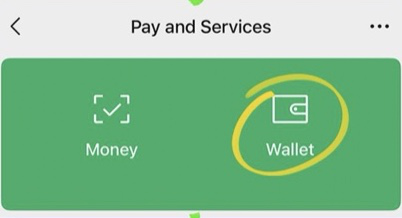


The QR code expires after 10 minutes and the helper must meet all four conditions. If nobody is available, registration cannot be completed.
Alipay in brief
- 1Download or update Alipay, register with your phone number — international numbers are supported — and sign in.
- 2Real-name authentication: Me → Settings (top right) → Account and Security → Identity Information → Basic Identity Information. Fill in your details, enter your name as Surname Given Name, then upload a photo of your passport information page.
- 3Link your card: Me → Bank Cards → Add Bank Card. Enter the card number, expiry, CVV / CVC and issuing country.

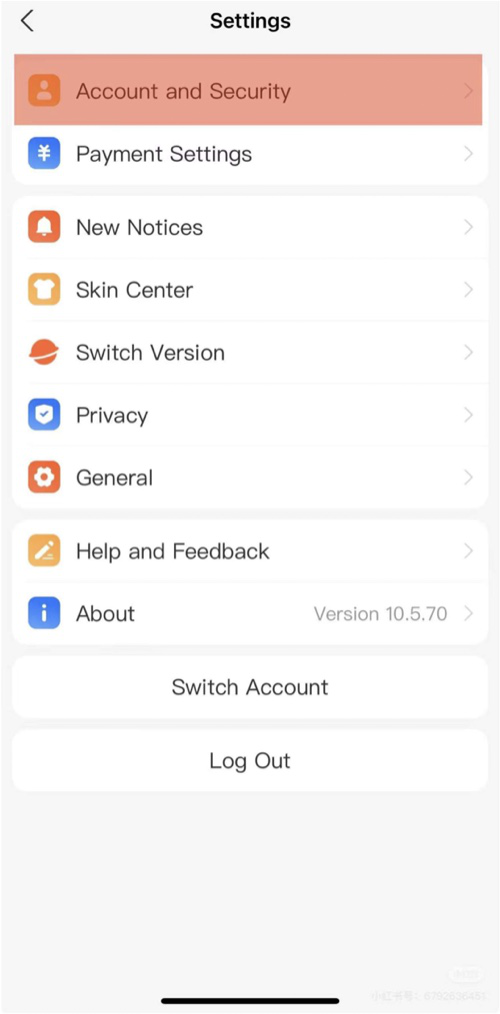
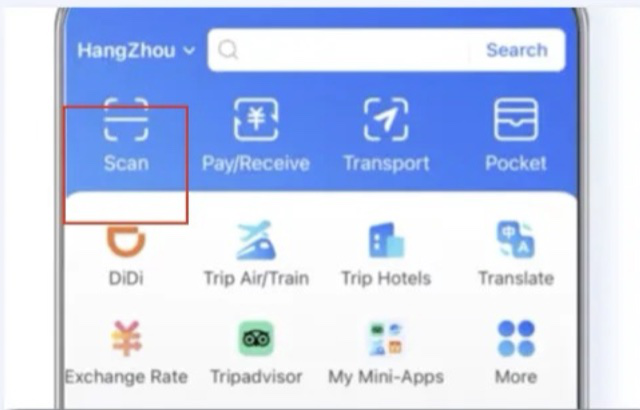
Once your cumulative payments with a linked international card reach 15,000 yuan, the app prompts you to complete your account identity information before further payments.
TenPayGo in brief
- 1Search TenPayGo in the App Store or Google Play. Sign in with your email only, set a password, then draw a gesture pattern of at least 6 dots — it also confirms each payment.
- 2Add an international card (UnionPay, Visa, Mastercard, Amex, JCB, Diners, Discover) or turn on Apple Pay. Your bank verifies the card once.
- 3Tap “Scan”, frame the merchant’s green WeChat Pay QR code, then read the merchant name, amount and fee line before confirming.
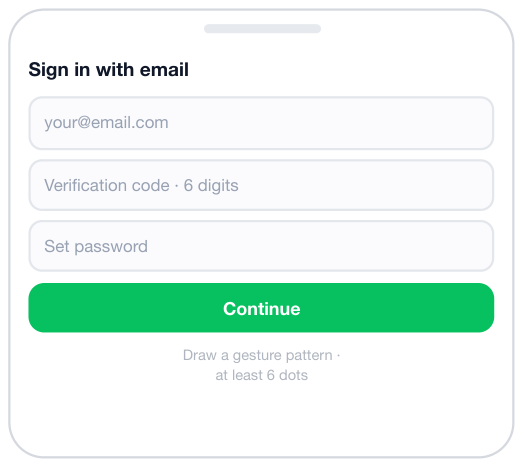
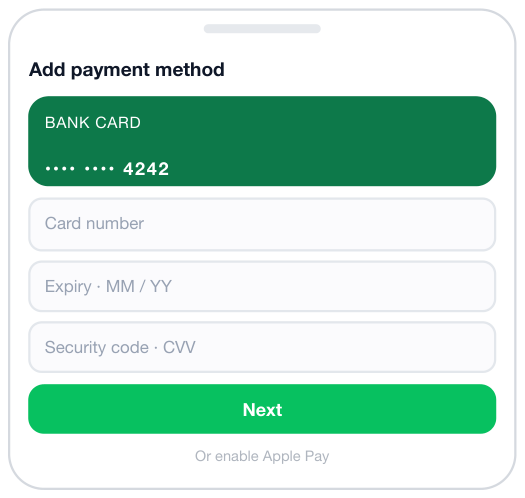
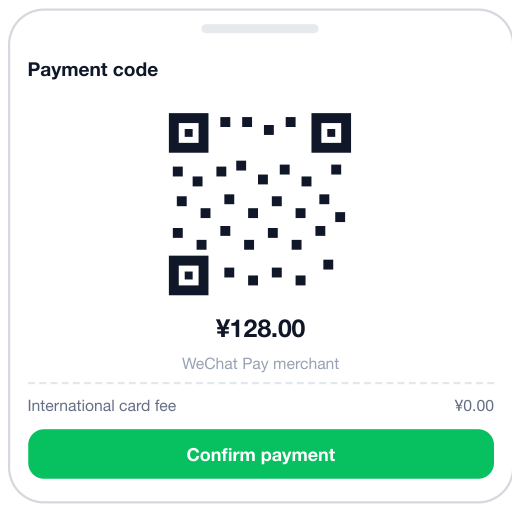
TenPayGo works wherever WeChat Pay is accepted. At supermarkets and hospital counters the cashier may scan your payment code instead — open it and confirm on your phone.
The rules that apply to all three
Payments of ¥200 or less per transaction are currently free; above that a 3% international card fee applies, refunded proportionally when you are refunded. TenPayGo always shows the fee line before you confirm.
The single-payment cap is ¥5,000 on Alipay and WeChat Pay; TenPayGo may apply per-transaction, per-day or per-year limits. Hit one? Pay less or use another card.
Prices are in renminbi (¥). Settlement converts at the real-time rate of the card network or issuing bank, which may add its own cross-border fee.
Refunds are started by the merchant and return to the same card. Balances funded by foreign cards cannot be withdrawn — they must be spent.
Why does real-name verification fail?
Enter your name in the Surname Given Name order, exactly as printed on the passport, and upload the passport information page plus the visa page if any. Alipay manual review: +86 571 2688 6000.
The card is refused — what now?
Check that it carries an international network logo, overseas and online payment is enabled, it is not expired, the limit is sufficient, and the cardholder name matches your passport. Otherwise try another bank’s card.
A payment failed — should I pay again?
First check whether you hit a limit, then retry once. If it fails again, ask the merchant to refresh the QR code or use another card. Check the transaction record before paying a second time — never pay twice.
Can I add a mainland card or withdraw a balance?
No. Only payment methods issued outside mainland China can be linked, and balances funded by foreign cards cannot be withdrawn to a foreign account — they must be spent.
Before you fly — the combined checklist
Twenty minutes at home saves the trip
- Install every app you plan to use and finish registration — line up the WeChat helper in advance if you use WeChat Pay.
- Complete real-name verification with your passport in hand, name in the Surname Given Name order.
- Link your international card and make one small test payment to confirm it works.
- Save the Alipay English line +86 571 2688 6000 and the Alipay hotline +86-95188.
- If a payment fails, check the transaction record before paying again — never pay twice.
This guide is general information only. Screens, menus, limits and fees are set by Tencent, Ant Group and TenPayGo respectively and may change. The respective names and logos are trademarks of their owners. PandaCareVIP is a coordination service and does not collect any payment from you through these wallets.